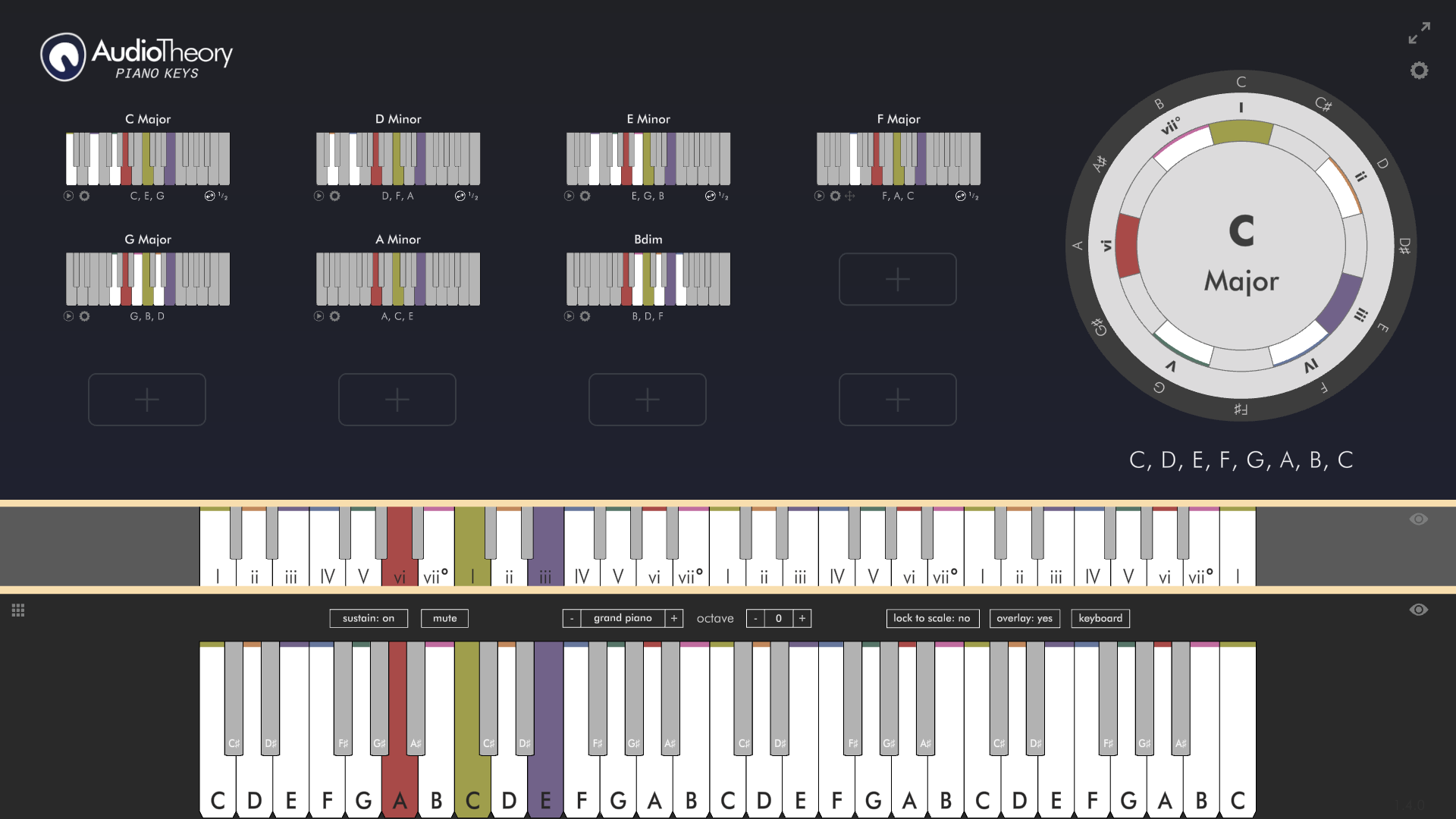
The biggest update yet is here for AudioTheory Piano Keys. It adds the following new features:
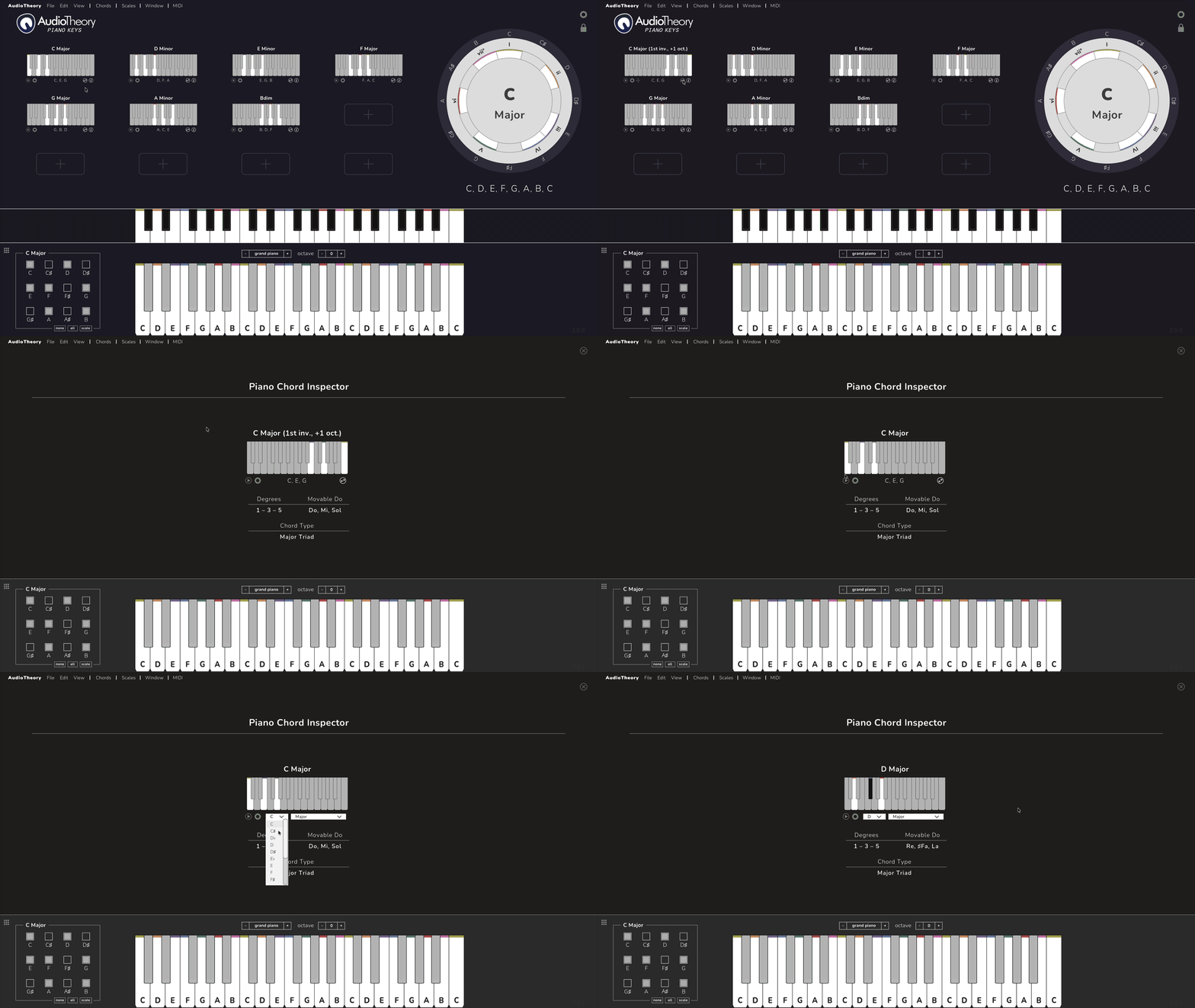
Chord Inversions
The double arrow icon below the bottom right of the piano chords was already here, but before it would just cycle the chord up an octave. Now it cycles the chord up one note at a time, so you can see the inverted positions for the chord too.
Chord Inspector
Next to this button is a new info icon. This brings up the chord inspector, where you can find out more about the specific chord in question. Here you can see the chord degrees, the chord type, and the movable do labels alongside a larger representation of the standard chord diagram.
The edit button exists here too, meaning chords can be swapped directly from the inspector, allowing for focused practice on an individual chord as an alternative to the multi-chord views found elsewhere in the application.
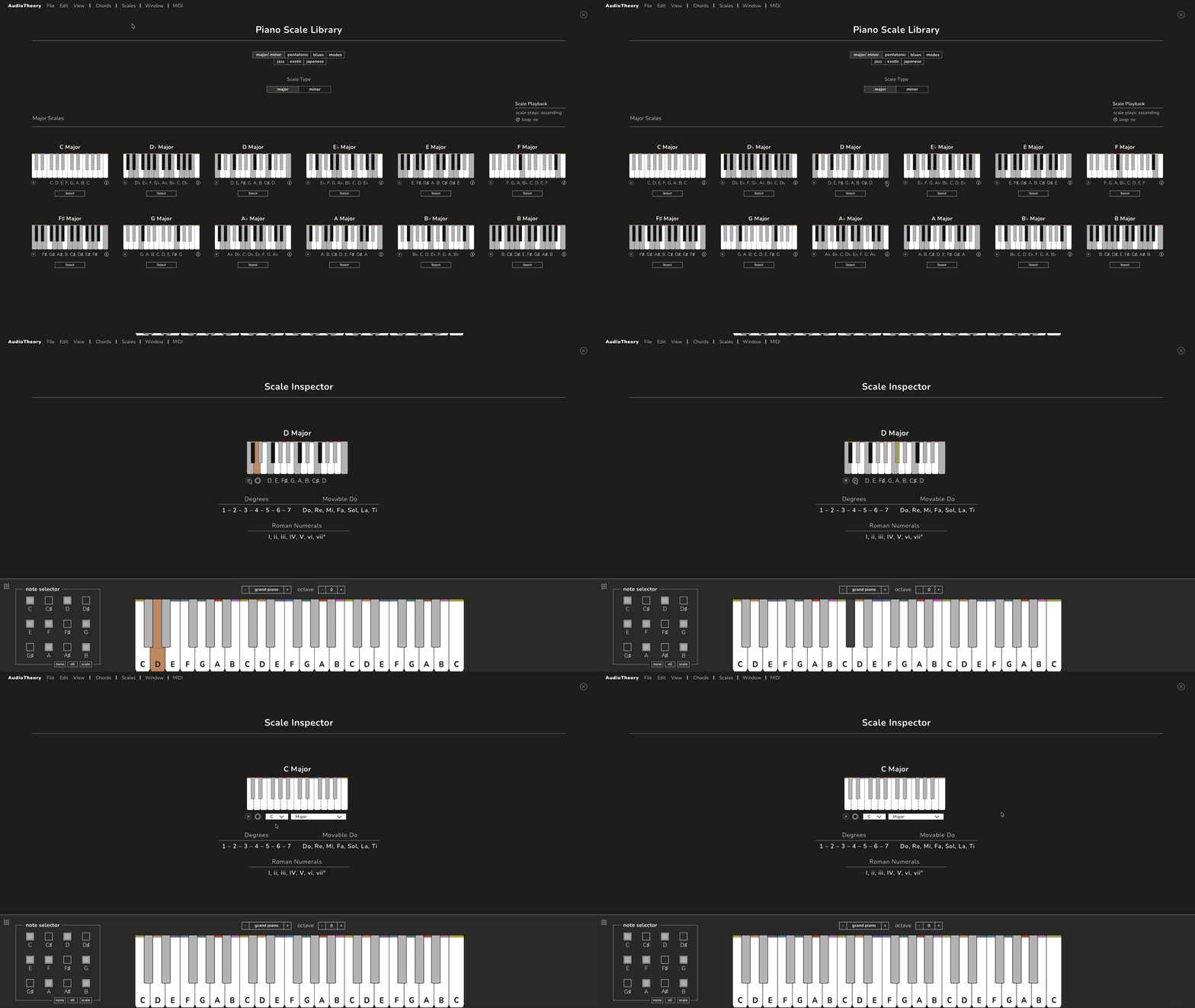
Scale Inspector
The same feature, but for scales! Learn more about each scale with the scale degrees, movable do labels, Roman numerals (where applicable) and standard note information all in one place.
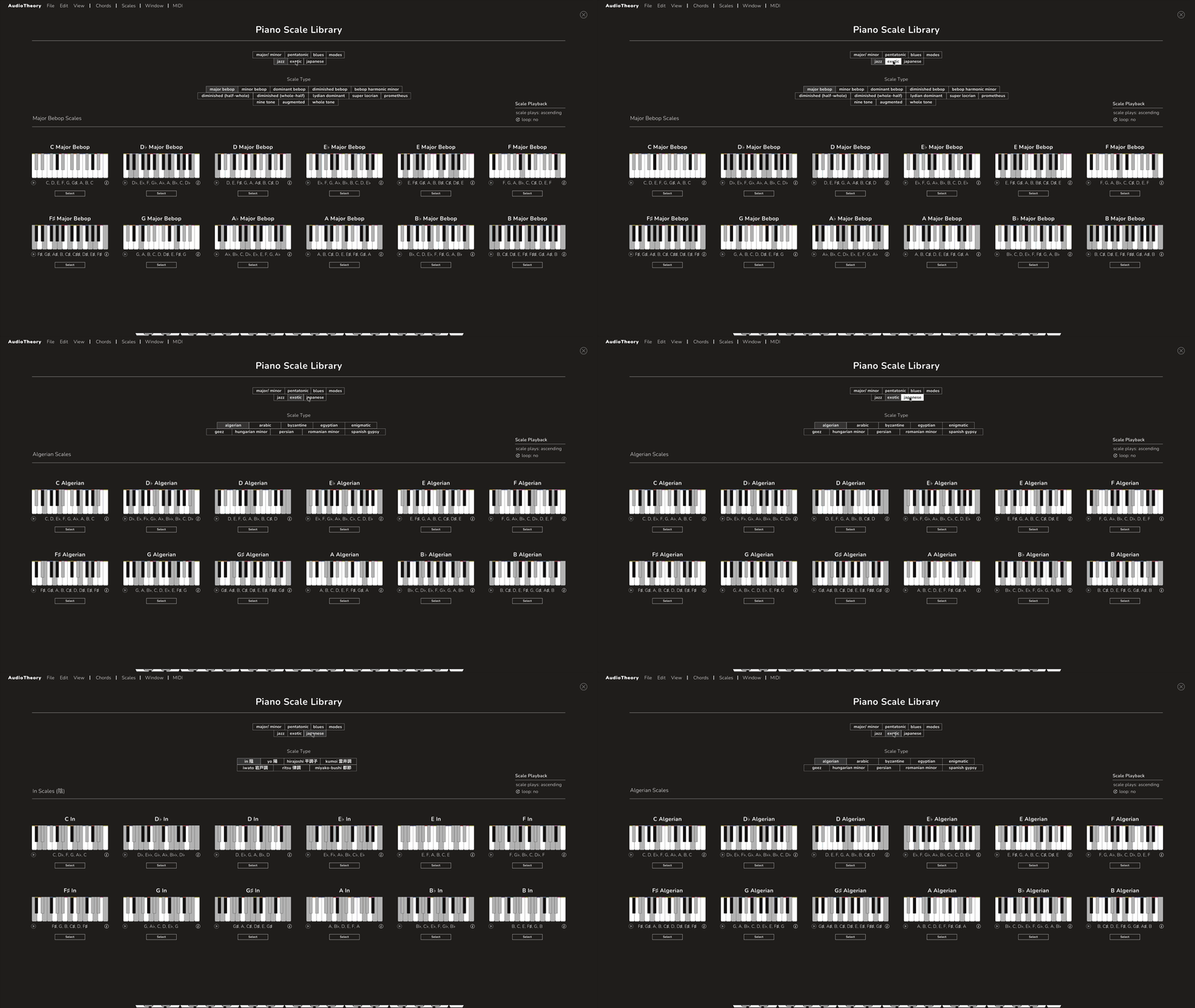
Extended Scale Library
The number of scales within the library has been increased substantially. There are new tabs for Jazz, Exotic, and Japanese. In total, 28 new types of scales have been added in.
Plus some more smaller changes and fixes:
- New options for scale playback. Play scales ascending, descending, or both. Scales now only play across a single octave, rather than just continuing for the full length of the keyboard.
- Theoretical chords are now properly supported in the main piano view, and will load as contextually appropriate with the selected scale.
- Improved chord dragging within the main application view. Now you can diagonally drag chords at greater speeds.
- The 'Mode' and 'Window' dropdowns in the nav has been consolidated into a single 'Window' option. This simplifies navigation by combining the different views into one place, and options to access the chord and scale inspectors have been added here too. This is now where the Piano Training Exercises can be found.
- The Tick icons have been restored – this indicates when all the correct notes in a chord are being played on the main Keyboard.
- Movable Do can now display for chords (using sharps and flats) in cases where one or more of the notes are not in the current scale. There are still instances where no applicable reference is possible (this is the fun of music theory), and these are noted as such.
- The position of the play button has been standardised between chords and scales.
- Various small design and colour changes have been made across the different themes.
- Auto-loading chords with scales has been streamlined a bit. Pentatonic scales now just load the standard set of major chords. Melodic scales no longer auto-load chords, and a message now displays at the top of screen when a set of chords are loaded on scale change.
- German note names have been added as an option within the application settings. When applied, B will display as H and B♭ will display as B.
- The cycle chord button now rotates, just like in AudioTheory Guitars.
All updates are free for owners of AudioTheory Guitars. If you purchased directly then you can download the latest version from your Gumroad account.
For Steam users, new updates can be downloaded through the Steam client.
For new customers, you will be purchasing and downloading the latest version.